ButterEye

ButterEye
ButterEye is a free, open-source (AGPL-3.0-or-later) smooth-motion control center for
mpv on Linux: it interpolates video to a rate that suits your display with
RIFE (Vulkan, via VapourSynth) or MVTools, live in mpv or as an offline render. It works
with your distribution’s own mpv and never edits your mpv.conf. Status: pre-alpha; the
design lives in docs/SCOPE.md and docs/design/GUI.md.
Copyright (C) 2026 The ButterEye contributors. This program comes with ABSOLUTELY NO
WARRANTY; see the GNU Affero General Public License v3.0 or later, full text in
COPYING. Files ButterEye generates from its templates (.vpy scripts,
buttereye.conf, input.conf snippets, render job manifests) carry an additional
permission under AGPL section 7, in
LICENSES/AdditionRef-ButterEye-generated-output.txt
(SCOPE §8.4; the wording is due a final check before the first public release). Both
files are shown in About, ship in the sdist and wheel (license-files), and must ship
as %license in the RPM.
Status
Pre-alpha, verified on the dev box (Fedora 44, RTX 4090, mpv 0.41.0, VapourSynth R72) on 2026-10-07. “Works” means it ran against the real tools, not a fake.
Works for real
- Live play (
ButterEye.play, GUI Play page): starts mpv with ButterEye’s own include and profile, inserts the@buttereyeVapourSynth filter and monitors it. MVTools and RIFE-ncnn (Vulkan) both reach ACTIVE; toggling interpolation, applying a profile, detaching (mpv keeps playing) and discovering leftover filters all work. Broken, slow and frozen filters are detected and rolled back. A 1280×720 24 fps clip played at 48 fps with MVTools (2×) and at 60 fps with RIFE v4.25-lite (2.5×) with no new Xid faults. - Doctor and setup (System page, setup wizard): real checks of mpv, the in-mpv probe,
packages, Vulkan, kernel Xid faults, conflicting
mpv.confsettings and render tools, in under a second. Setup proposes an engine, runs a real smoke test and only then saves. - Profiles and rules (Profiles & Rules page):
config.tomlload/validate/save with conflict detection and atomic writes; the rule tester explains which rule matched. - Benchmark (Benchmark page): measures every installed RIFE model plus MVTools in vspipe and inside mpv, counts GPU faults, and can apply the recommendation.
- Storage and About: real folder sizes, packaged models, licence texts.
-
Lua helper in mpv: Alt+b toggles the filter, Alt+B shows the status line.
- NVIDIA TensorRT (experimental, opt-in): turn it on in Details ▸ System ▸ Turn
on… (or
[general] trt_experimental = trueinconfig.toml). With a localvstrtbuild, live play, the speed test and smooth copies use RIFE through TensorRT; the GPU choices read “… · TensorRT”, and the speed test runs once by itself so Automatic can choose it. A missing engine is built in the background on first use (about 30 s at 1080p); meanwhile the video plays with RIFE (Vulkan) and switches over when it’s ready. On the RTX 4090: 1080p 2× at 262 fps and 23.976 → 60 at 101 fps in mpv, about 4× the Vulkan path (docs/spikes/m0l.md). Setup, after adding NVIDIA’s repositories as indocs/spikes/m0k.md:contrib/build-vstrt.sh --with-python-deps --with-models. The System checks list anything still missing, with the command that installs it.
Not in this build yet (the GUI shows an “isn’t in this build yet” panel, BE-9001)
- Offline render (Render page) — no render provider yet; ffms2 is also not installed on the dev box (BE-4001).
- Attaching to an mpv you started yourself, and acting on leftover-filter notices from the Play page (ATTACH / ORPHANS).
- Writing the include line into your
mpv.conffor you (the line is shown to copy). - Bug-report bundles, model downloads and installing a model from a file.
- HDR pass-through (experimental; needs the M0(d) compatibility test).
Known gaps
- The spike RPMs ship incomplete third-party licence texts (BE-1021 in About).
- RIFE at 1080p inside mpv,
concurrent-frames. RIFE-ncnn now uses mpvconcurrent-frames=8with the plugin’sgpu_threadkept at 4 (SCOPE §4.4, decided 2026-10-07). With the bundled build (9.33-0.2.spike), v4.26 at 1080p 2× of 23.976 fps measured ~56–58 fps in mpv (--untimed, startup included) against ~45–47 fps with 4, and no GPU faults in 9 runs. Latency and seek behaviour with 8 are not measured yet (M0(b)); a profile can still setconcurrent_framesexplicitly.
Screenshots
Taken over the real core on the dev box. The top row and the speed test show the default
window and its Details dialog; the setup wizard and the rest come from the classic
multi-page window (BUTTEREYE_DEV=1 … --classic, see below). More are in
docs/design/screenshots/.
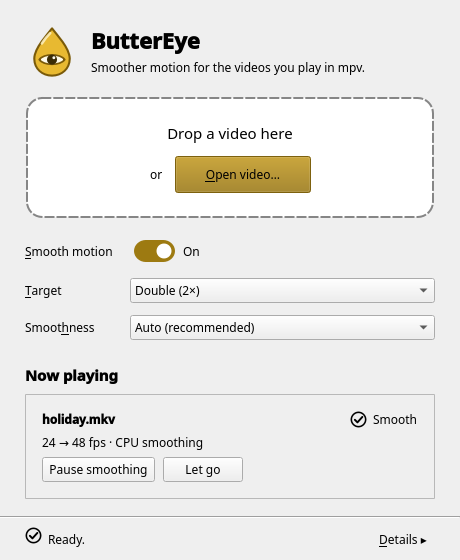 The default window, playing a video smoothly |
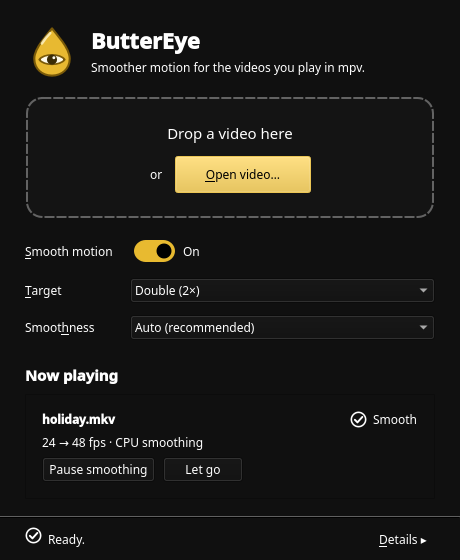 The same window with a dark palette |
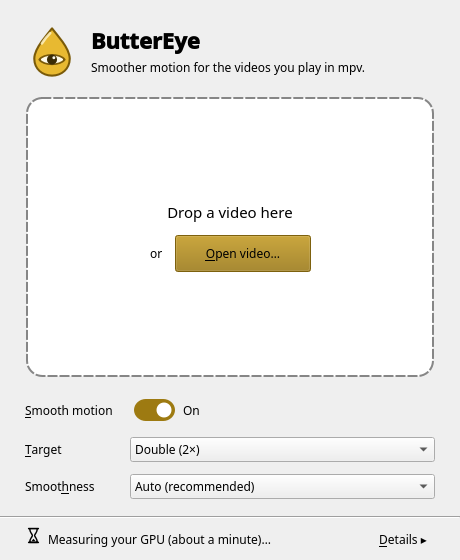 First start: the GPU is measured in the background |
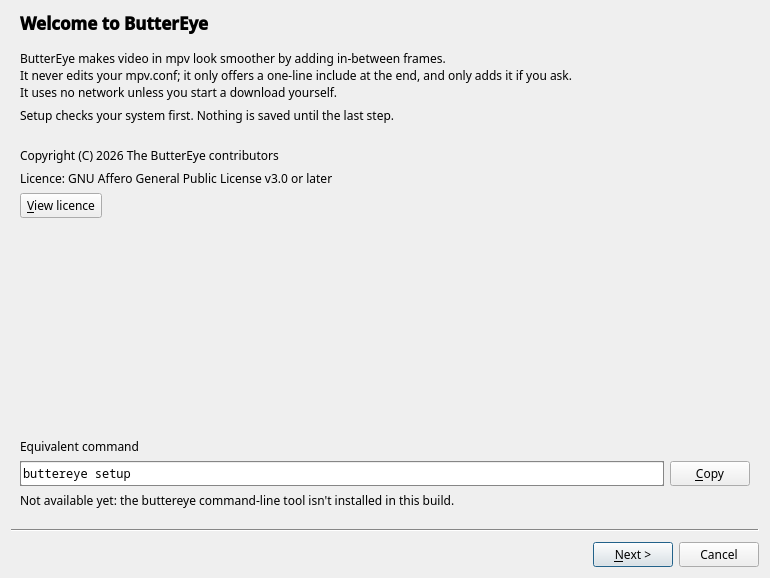 Setup wizard (classic window): checks first, nothing saved until the end |
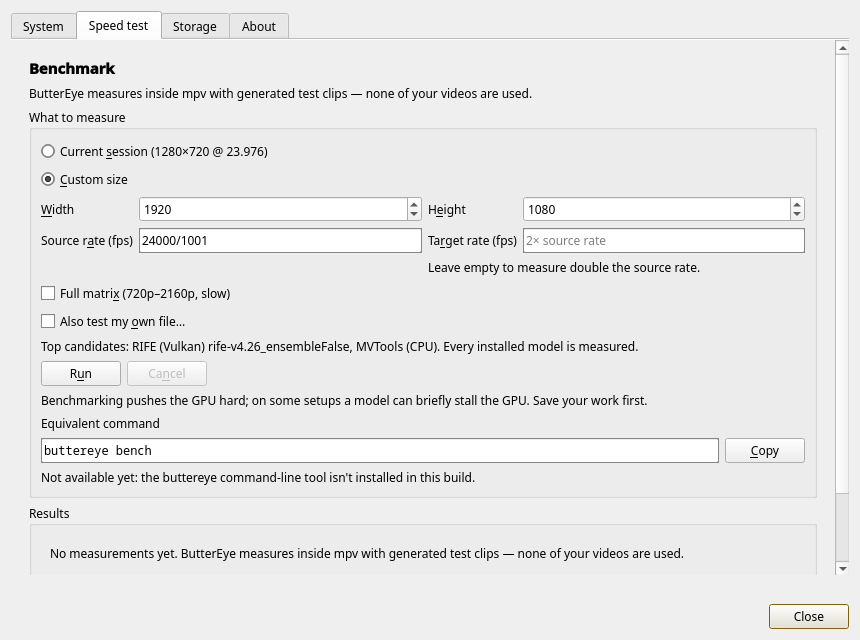 Details: the in-mpv speed test |
|
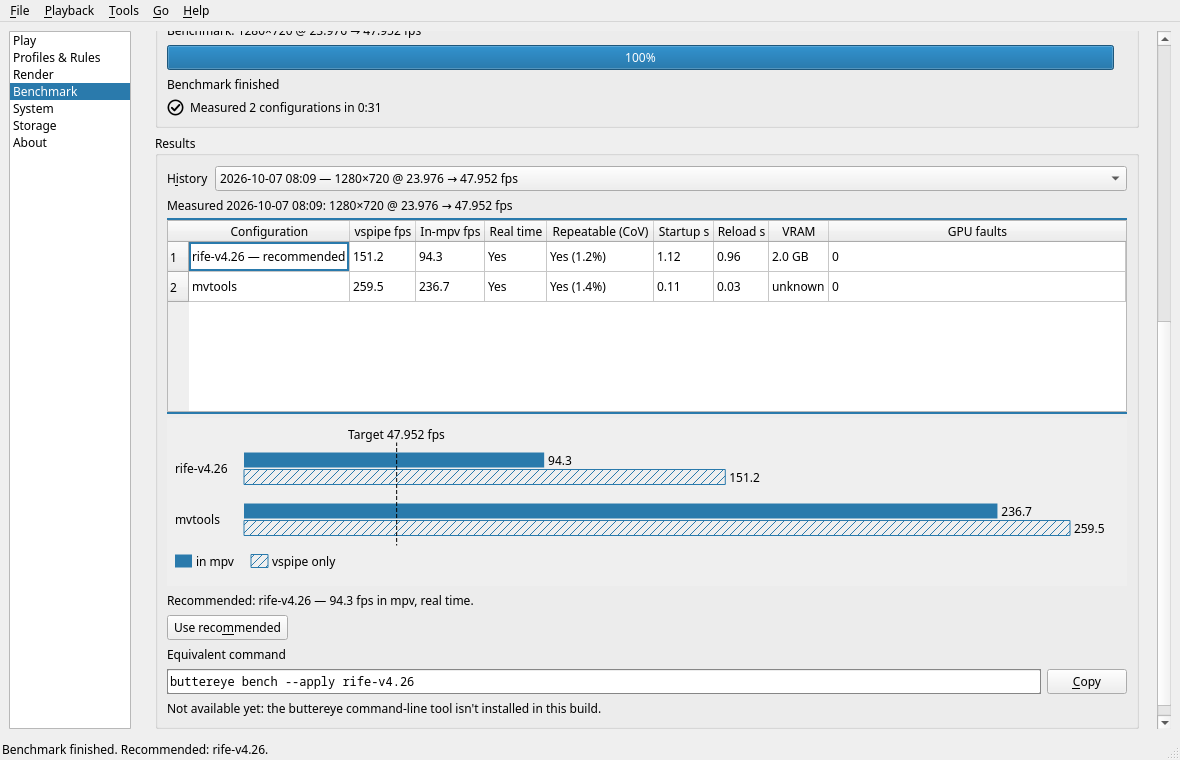 Benchmark results (classic window): RIFE v4.26 vs MVTools, in mpv and in vspipe |
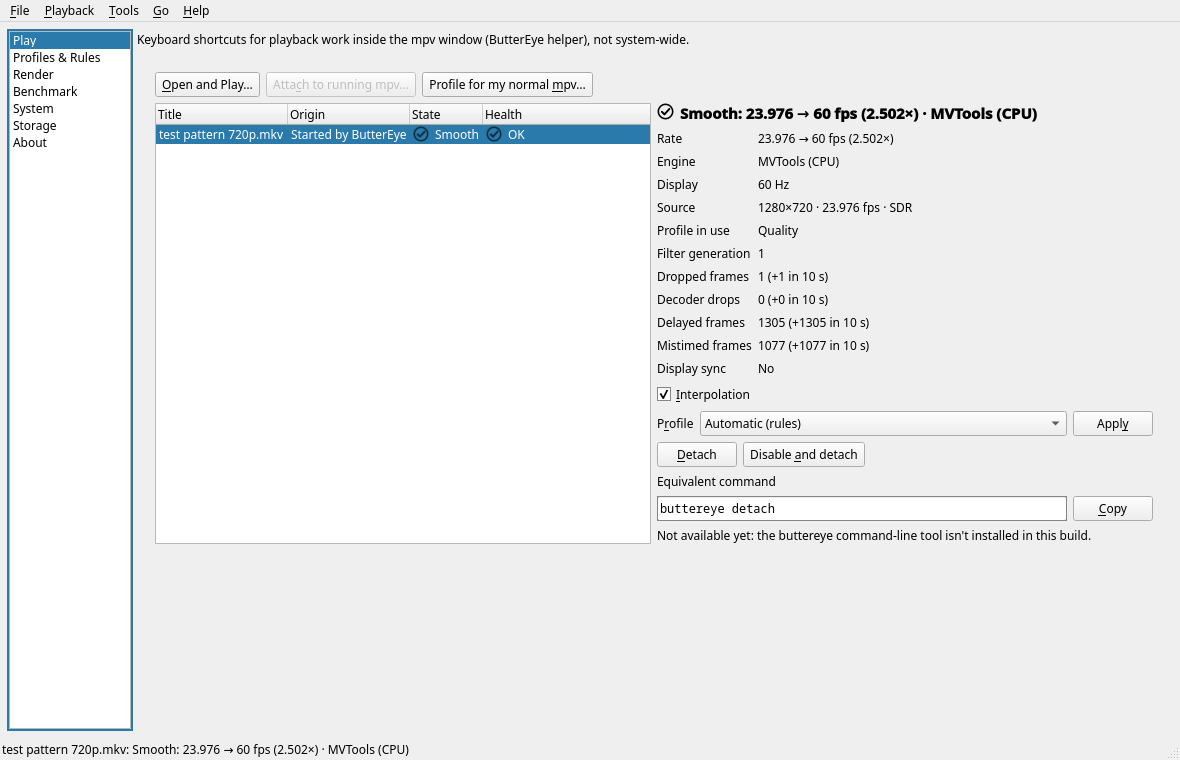 Live session details (classic window): rates, engine, frame drops |
|
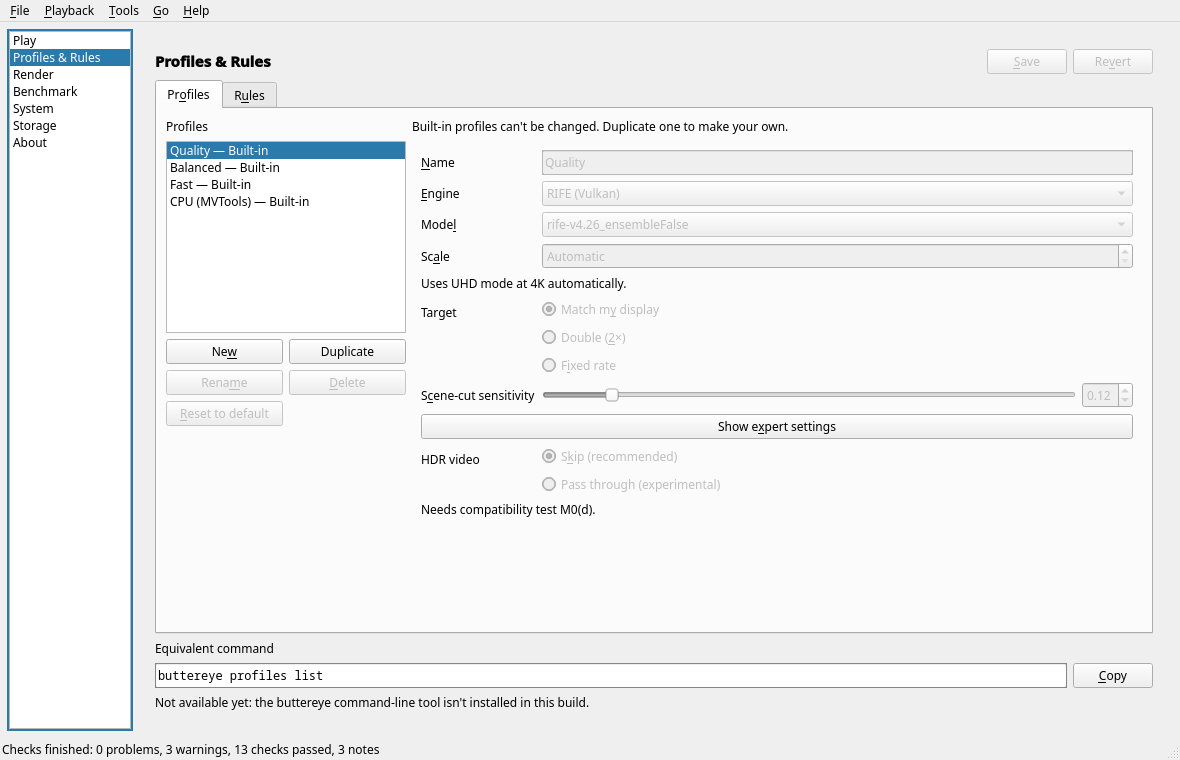 Profiles & Rules (classic window): built-in Quality, Balanced, Fast and CPU profiles |
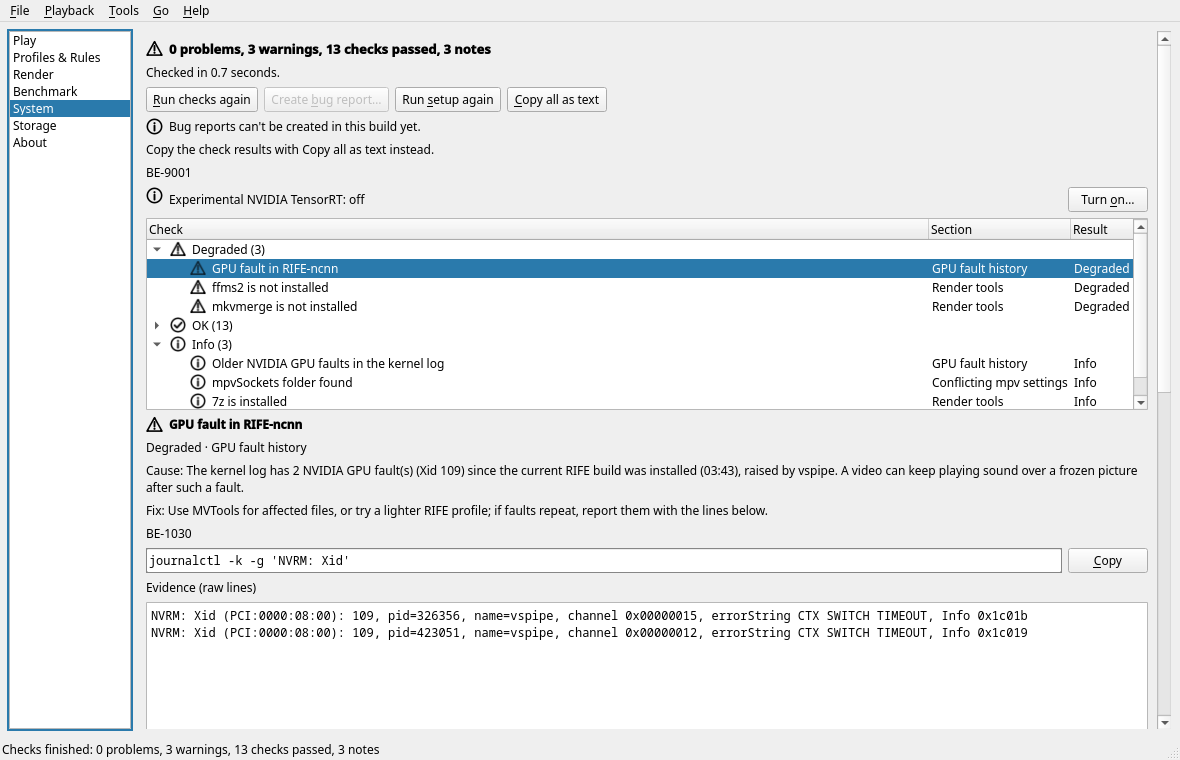 System checks (classic window): causes, fixes and raw evidence for each finding |
Development setup (Fedora 44)
The GUI uses the distro PySide6 (python3-pyside6, Essentials modules only), so the
virtualenv sees system site-packages:
python3 -m venv --system-site-packages .venv
.venv/bin/pip install pytest pytest-qt pytest-asyncio ruff mypy
Runtime tools the core talks to: mpv (≥ 0.41 with the VapourSynth filter), vspipe
(VapourSynth), ffmpeg, and the ButterEye COPR plugin packages
(buttereye-vs-rife-ncnn, buttereye-vs-mvtools, buttereye-rife-ncnn-models).
Run the GUI
.venv/bin/python -m buttereye.gui
(The buttereye-gui entry point does the same once the package is installed.)
ButterEye opens one small window with two drop zones. Drop a video on the left one (or press Open video…, Ctrl+O) and it plays in mpv with smooth motion; drop one on the right (or press Convert a video…, Ctrl+Shift+O) to save a smooth copy as a new file. There are four choices:
- Smooth motion — on or off. Off: new videos play normally, and videos already playing turn smoothing off.
- Target — Double (2×), 60 fps, or Match your display (N Hz) (the lowest refresh/k that at least doubles the video: 60 fps on 180 Hz, 48 on 144 Hz).
- Smoothness — Auto (recommended), Best quality — GPU, Lighter — GPU or CPU only. Auto uses the GPU when the speed test shows it can keep up, and the CPU otherwise. The GPU choices are hidden when RIFE can’t run on this computer.
- Picture — Standard, Sharper, Less banding or Sharper, less banding.
Sharper adds the bundled FSRCNNX shader (LGPL-3.0), which draws crisper edges when
the video is smaller than the window (+0.5 to +1.25 dB over Lanczos in spike M0(o),
~1.7 ms of GPU per 4K frame); less banding turns on mpv’s own debanding (no
measurable GPU cost). Shaders and a
deband=yesfrom your ownmpv.confstay as they are.
To keep CPU and GPU load down, live CPU smoothing (MVTools) searches at full-pixel
precision (pel=1) from 720p up, switches to its faster block mode when it can’t
keep up (4K on most CPUs; spike M0(p)), and converted files use the lighter software encoder
presets libx265 fast and libsvtav1 8 (about 1.5-2× less CPU than medium/6,
for files a few % larger at the same quality setting); conversions keep MVTools at
pel=2. See SCOPE §7.5.
Each playing video gets a row with its rates (for example “24 → 48 fps”), whether the GPU or the CPU is smoothing it, a Pause smoothing button and Let go (mpv keeps playing; ButterEye stops managing it).
The first start sets ButterEye up silently (checks, a short test run, settings) and
then measures your GPU in the background for about a minute; you can play videos while
it runs. ButterEye never edits your mpv.conf. Details ▸ has the system checks
(with error codes and fix commands), the speed test, storage and licences.
Your choices are stored in ~/.config/buttereye/config.toml as one profile, simple,
with a single rule that uses it. The earlier multi-page window (profiles, rules,
render) is still available for development: BUTTEREYE_DEV=1 .venv/bin/python -m
buttereye.gui --classic.
The buttereye command
Everything the window does is also a command (SCOPE §4.1), over the same core:
buttereye doctor [--trt], setup [--trt-experimental], play FILE [--profile ID] (stays
until mpv closes; Ctrl+C leaves mpv playing), render FILE [-o OUT] [--size WxH] [--target
2x|60] [--encoder E], bench [--width W --height H --fps F] [--history] [--apply LABEL],
profiles list|explain --fps F --height H, plugins, models, clean --dry-run|--engines…,
licence, --version. Every command takes --json (one versioned document), -v/-q, and
honours NO_COLOR. Exit codes: 0 ok, 1 failure, 2 usage or config, 3 blocking doctor
issue, 4 dependency missing, 130 cancelled. attach and detach say they aren’t in this
build yet.
Building the RPMs
packaging/ holds the specs for the application and its three plugin packages (SCOPE §9;
details in packaging/README.md). One command builds the SRPMs and rebuilds each in mock
for Fedora 44 and 45 with networking off, as the COPR will:
packaging/build.sh # or: packaging/build.sh --srpm-only
Tests and checks
QT_QPA_PLATFORM=offscreen QT_ACCESSIBILITY=1 .venv/bin/pytest
.venv/bin/ruff check .
.venv/bin/mypy buttereye/core buttereye/gui   # strict, see pyproject.toml
The suite runs under memory failsafes (tools/memguard.py). It refuses to start when less
than 4 GiB is available, and runs inside a systemd user scope capped at 8 GiB, so only the
tests are killed if they go over. A watchdog also stops the run and every mpv/vspipe it
started when the system falls below 3 GiB available. To change these, set
BUTTEREYE_MEM_MAX_MIB, BUTTEREYE_MEM_START_MIB or BUTTEREYE_MEM_FLOOR_MIB;
BUTTEREYE_NO_MEMCAP=1 drops the cap but keeps the other two. tools/perf/breakdown.py
uses the same failsafes.
Markers: integration (needs mpv and vspipe), gpu (needs a real GPU), devbox
(needs the installed buttereye-* RPMs) are skipped automatically when their
requirements are missing; manual runs only with --run-manual. Tests never touch your
real ~/.config: the xdg_env fixture points HOME and every XDG directory at
temporary directories.
Layout
buttereye/core/— GUI-free asyncio core;api.pyis the facade the GUI and CLI use.buttereye/core/testing/—FakeCoreand named scenarios, for tests only.buttereye/gui/— PySide6 front-end (thin layer over the core, thread bridge).docs/— scope, design, error codes (docs/errors.md), spike records.